Phase 13 – Handover & Final Binding
Phase 07: Visual Transfer
Moving from Structural Skeleton to Visual Blueprint
The Goal: Visual Clarity
Phase 07 is about the Visual Transfer of your narrative. We are moving beyond bullet points into a First-Draft Script that utilizes full visual language. Simultaneously, your Design stream is tasked with "Finding the Key"—the core narrative image that defines the temporality of your film.
1. Narrative Stream (The Script & Thumbs)
Translate your skeletal structure into a document that reads like a professional production.
- First-Draft Script: Use full visual language descriptions. Must include scene establishment, acting/action cues, and industry-standard camera directives.
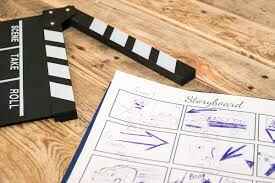
- Thumbnail Animatic: Create rough thumbnails for narrative clarity only (nothing "beautiful"). These must be timed over your Radio Play to establish initial pacing.
2. Design Stream (Finding the Key)
Focus on the "essence" of your concepts through rough greyscale/B&W explorations.
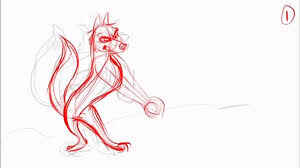
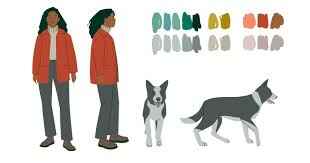
- Key Narrative Image: Find the drawing for each concept that captures the narrative's temporality. Once found, create a turnaround of this key image.
- Shape & Line: Limit yourself to greyscale. Focus purely on how line and shape psychology define the character/environment.
3. Production Stream (The Master Planner)
Establish the horizontal tracking logic for the entire production.
- Master Excel Shot Planner: Create a sheet derived from your script skeleton and thumbnailing process. Structure your Sequence/Scene/Shot logic clearly.
- Editing Lock: Once thumbnail timing is established, lock the inFrame/outFrame data into this spreadsheet as firm editing decisions.
Phase 07 Review Conversations
Mentors will be auditing the visual clarity of your transfer during studio sessions:
- Narrative: Does the script use visual terms to describe acting? Is the camera placement industry-standard?
- Design: Does the "Key" image capture the character's purpose in the overall narrative arc? Does the turnaround inform us about their intentions, vitality, and superobjectives?
- Production: Is the Shot Planner comprehensive? Are the editing decisions (frames) clearly relating to shotcodes using your agreed naming conventions? Are you using automation to keep your shotcodes clean and reliable?
ANI30003 Animation Preproduction | Phase 07: Visual Transfer | 2026